
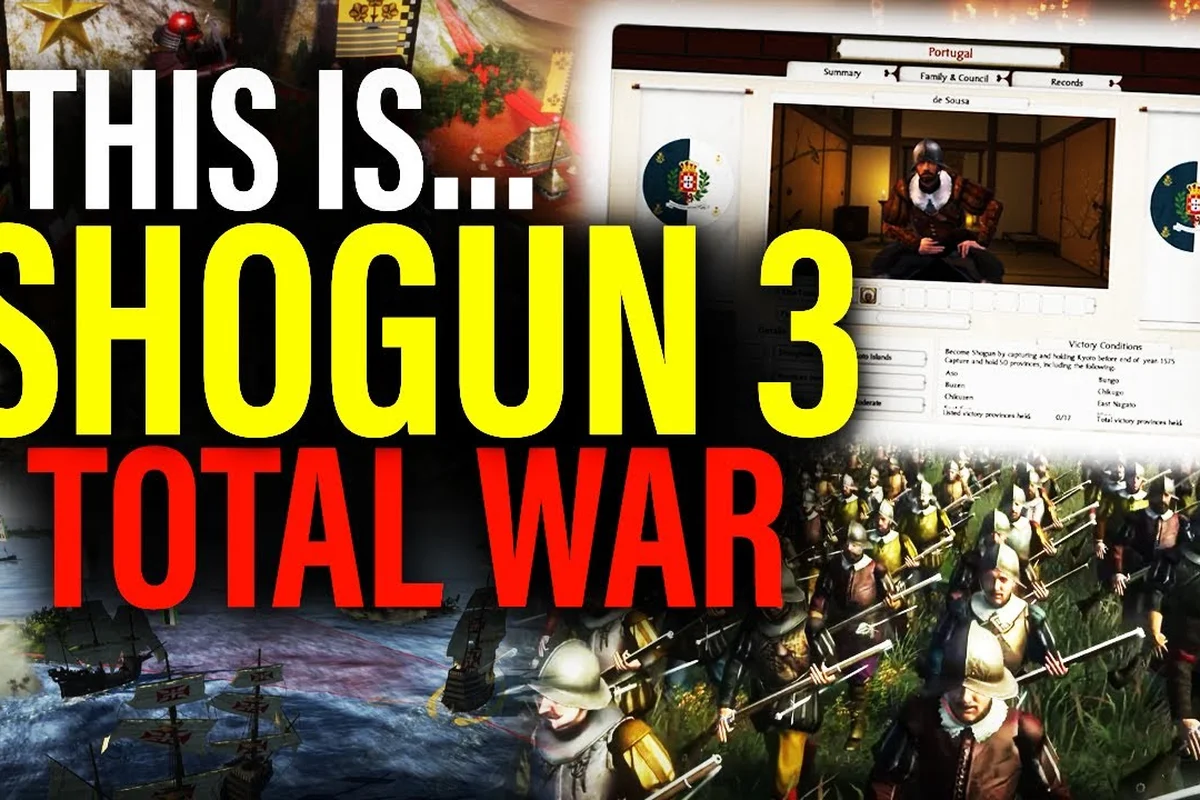
Shogun 2 still holds a Very Positive rating on Steam more than a decade after launch, and the modding scene is the main reason players keep returning. Total War: SHOGUN 2 graphics mods cover everything from sharper textures and weather effects to a complete blood mod, a large army mod, and a better AI mod that finally punishes reckless charges. This guide walks through the visual packs, the realism overhauls, the AI and naval fixes, and the diplomacy tweaks that change how a campaign actually plays. Audio also gets a notable upgrade, and you can hear the difference in our coverage of the Shogun 2 Complete Edition New Voice Acting mod, which replaces the original voice lines with a far more expressive cast that better matches the tone of each campaign faction.
Visual Overhauls and Texture Upgrades
The vanilla build dates back to 2011, and the textures, lighting, and shadow maps show their age on a 1440p or 4K monitor. Visual overhaul mods focus on sharper unit cards, denser foliage on the campaign map, and higher-resolution samurai armour that survives close-ups during duels. The 2011 release and the rebuilt Complete Edition share the same Workshop catalogue, so a single subscription often works on both branches, although version drift between the legacy client and the modern release is a common source of CTD reports. Players moving from the older build to the 2024+ rebuild should check the mod's comment thread for compatibility notes before subscribing.
| Visual Mod Category | Main Effect | Typical File Size | Compatibility Risk |
|---|---|---|---|
| 4K Texture Pack | Sharper unit and building skins | 800 MB – 1.5 GB | Low on Complete Edition |
| Lighting Overhaul | New sun, sky, and shadow model | 200 – 400 MB | Medium (engine conflict) |
| Foliage Density | Denser trees and undergrowth | 150 – 300 MB | Low |
| UI Scaling | Readable fonts at 4K | Under 50 MB | Very low |
| Camera Zoom | Tighter tactical view | Under 10 MB | Low |
The Complete Edition store listing highlights reworked lighting, sharper shadows, and UI scaling for high-resolution displays, so the 2024 rebuild already covers a chunk of what older texture packs attempted. Many players still layer a community weather mod on top because the rebuilt rain and fog effects are good but not as cinematic as the best Workshop offerings. The Steam Workshop for the original 2011 build is where the deep back catalogue lives, including total conversions that replace the campaign map entirely, while the Complete Edition Workshop layer is better maintained for modern installs.
The hardest visual decision is whether to run a 4K texture pack alongside a lighting overhaul. Both touch the same shader paths, and a bad combination produces flickering banners or a permanently black sky. Community testing on the Steam Workshop discussion boards suggests loading the texture pack first, then the lighting mod, so the lighting pass reads the higher-resolution surfaces. If a crash happens, disabling the lighting mod first isolates the conflict in most setups reported by players.
Blood, Gore, and Combat Realism
The base game ships with mild blood splatter and unit dissolve animations, which feel restrained next to the brutality of Sengoku-era warfare. A Shogun 2 blood mod pushes sword kills, arrow impacts, and cavalry charges into something closer to a Kurosawa film. Most packs add pooled blood that stays on the battlefield, dismemberment on critical hits, and longer ragdoll reactions when a unit breaks. The realism mod scene goes further by rebalancing melee, missile, and morale stats so a katana duel actually resolves on the first clean hit instead of dragging through three chip-damage exchanges.
| Realism Mod Type | Combat Change | Best Paired With |
|---|---|---|
| Blood & Gore | Persistent blood, dismemberment | Lighting overhaul |
| Realism Overhaul | Rebalanced melee and morale | Better AI mod |
| Historical Accuracy | Era-accurate unit rosters | Unit pack mod |
| Unit Card Redraw | Photo-realistic portraits | 4K texture pack |
| Battle Realism | Slower, deadlier combat | Large army mod |
The realism mod scene is older than the Complete Edition rebuild, so a pack written for the 2011 client may override unit stats in a way the new branch does not expect. Players report that pure stat overhauls survive version transitions more reliably than mods that touch shaders or campaign scripts. The Total War: SHOGUN 2 base page on Steam shows the original 2011 release is still rated 92 percent positive across roughly sixty-eight thousand reviews, which is the clearest evidence that the underlying design held up well enough for a decade of modders to keep iterating on it.
Picking a Blood Mod That Does Not Break Saves
A blood mod is almost always cosmetic, but some packs also tweak unit dissolve timings, which can interact oddly with the UI when a routing unit crosses a river. The safest pairing is a pure-effect blood mod with a stat-focused realism overhaul, because the two mod classes touch different files and rarely collide. If the game refuses to load a save after installing a new realism mod, the cause is almost always a stat-table change that invalidates pre-mod saves, not the gore effects themselves.
Better AI, Diplomacy, and Naval Overhauls
The vanilla campaign AI plays a competent but predictable game: it declares war when a border touches, it sails a single trade ship, and it rarely suicides a full stack into a well-defended castle. A Shogun 2 better AI mod rewrites the decision tree so the AI builds taller stacks, defends choke points, and uses its navy as an actual second front instead of a decorative screen. The diplomacy mod scene targets the trade and alliance screen, adding more nuanced conditions, longer treaties, and trade routes that actually pay for a maintained fleet.
| Overhaul Type | Campaign Effect | Difficulty Spike |
|---|---|---|
| Better AI | Smarter army and navy behaviour | High |
| Diplomacy Overhaul | Conditional treaties, deeper trade | Medium |
| Naval Mod | Working coastal bombardment | Medium |
| Large Army Mod | 40+ unit battles | Very high |
| Economy Overhaul | Realistic province income | Medium |
A Shogun 2 large army mod is the single most popular overhaul, and it raises the unit cap from 20 to 40 or more per stack. The performance cost is real: a 40-unit battle on a busy siege map can drop framerates by 30 to 50 percent on mid-range hardware. The Shogun 2 naval mod category is smaller but well-loved because the vanilla coastal AI is passive; the standout pack makes ship bombardments do real damage to port towns, which finally gives the navy a strategic role.
Diplomacy Mod Trade-Offs
A heavy diplomacy mod is a campaign-long commitment because treaties, trade deals, and vassal relationships built in the first 30 turns will not carry over if the mod is removed mid-campaign. The smartest workflow is to start a fresh campaign after subscribing, finish at least one full cycle of seasons, and only then judge whether the diplomacy tweaks suit the player's style. Veterans of the Total War: Shogun 2 Complete Edition release should know that the 2024 rebuild added more than fifty minor factions promoted from AI-only to playable, which already changes the diplomacy pressure in the original Sengoku campaign.
Large Army Mods and Performance Planning
The standard unit cap of 20 per army is generous for vanilla battles, but once a Shogun 2 realism mod slows down combat and the AI starts fielding 20-stack doom armies, the campaign becomes a series of high-stakes coin flips. A large army mod lets the player match that scale, which converts a coin flip into a real tactical decision. The cost is hardware, and the Rise of the Samurai prequel and the Fall of the Samurai expansion ship with their own unit rosters that also need to be scaled, otherwise the campaign devolves into a late-game blob war.
| Performance Setting | 20-Unit Battle | 40-Unit Battle | 60-Unit Battle |
|---|---|---|---|
| Ultra (1080p) | 60 fps | 35 – 45 fps | 20 – 30 fps |
| High (1440p) | 55 fps | 30 – 40 fps | 18 – 25 fps |
| Medium (4K) | 40 fps | 22 – 30 fps | 12 – 18 fps |
| Shadows: Low | +5 fps | +3 fps | +2 fps |
| Unit Detail: Low | +4 fps | +3 fps | +2 fps |
The numbers above come from community testing shared on the Steam Workshop discussion boards, and the gap between 20-unit and 40-unit battles is roughly 30 to 40 percent on identical hardware. Players running a 4K monitor should expect the largest army mods to be borderline playable during siege battles, because pathfinding scales worse than rendering. The safest way to keep a large army mod and a graphics overhaul together is to cap the battlefield camera at a reasonable distance and turn off anti-aliasing, which recovers about 5 to 8 frames per second according to player benchmarks.
Load Order for a Heavy Graphics Setup
A stable load order matters more than any single mod choice. The community-tested order is visual packs first, stat overhauls second, AI and diplomacy mods third, and the large army mod last. If a CTD happens, the most recently added mod is the most likely culprit. Steam Workshop handles the actual file copy, but the in-game mod manager is what controls activation order, and players moving from the legacy build to the Complete Edition should re-enable mods in the mod manager rather than trusting the old load order. The Workshop's in-game browser through Mod.io is the modern entry point, and it shows load order conflicts at subscribe time.
Mod Compatibility Between the 2011 Build and Complete Edition
The 2011 base game and the 2024 Complete Edition share the same Steam app ID family, but they do not share the same executable. Mods compiled against the older client can crash the rebuilt engine on load, especially those that touch the script system or the AI behaviour tree. Pure asset swaps (textures, unit models, blood effects) usually work on both branches because the file format is the same. The Complete Edition also added cloud saves, achievements, trading cards, and a refreshed Workshop integration, which means a mod that disables achievements for testing will not affect the rebuilt campaign experience.
| Mod Type | Works on 2011 Build | Works on Complete Edition | Risk Level |
|---|---|---|---|
| Texture Pack | Yes | Yes | Low |
| Blood Mod | Yes | Yes | Low |
| Realism Stat Overhaul | Yes | Often | Medium |
| Better AI Mod | Yes | Sometimes | Medium-High |
| Total Conversion | No | No | High |
| Script-Based Diplomacy | Yes | Rarely | High |
The Ikko-Ikki Clan Pack shipped in May 2011, and several modders treat that as a soft baseline for compatibility. Anything written before the Sengoku Jidai Unit Pack era is usually safe on both builds, while mods released after the 2024 rebuild are usually Complete Edition only. The Total War: SHOGUN 2 base game page keeps the original 2011 listings active for legacy owners, and it is worth checking the comment thread on a mod before subscribing, because a single Workshop comment from a Complete Edition player will reveal whether the pack works on the modern branch.
Keeping a Visual Mod Load Stable Through a Campaign
A mod list that survives from turn 1 to the unification of Japan is a small engineering project, not a copy-paste exercise. The first step is to pick one visual pack, one realism overhaul, one better AI mod, and one large army mod, then run a test campaign to the end of the first year of seasons. The second step is to check the save file size, which should grow by less than 20 percent over a vanilla save of the same turn count, otherwise a script mod is leaking data. The third step is to back up the save folder manually before any mod update, because Workshop auto-updates can push a broken version to subscribers without warning.
| Step | Action | Expected Outcome |
|---|---|---|
| 1 | Subscribe to 4 mods across categories | Clean install |
| 2 | Play 20 turns on Easy difficulty | Identify early CTDs |
| 3 | Roll save to turn 10 | Establish a restore point |
| 4 | Subscribe to one extra mod | Test for load order conflicts |
| 5 | Roll forward 20 more turns | Confirm stability |
| 6 | Lock load order and back up saves | Ready for full campaign |
The 2024 Complete Edition rebuild introduced a 1440p and 4K UI scaling, reworked lighting, and full Japanese and Chinese voice acting, so a player who only wants visual polish can skip the texture overhaul mods entirely. For everyone else, the smart play is to treat the mod list as a living document, roll saves often, and keep the Steam Workshop auto-update setting on so bug fixes reach the campaign without manual work. A solid graphics, blood, realism, AI, and naval stack will outlast multiple campaigns, and the Workshop's decade-long back catalogue means the options only get better with each new upload.
Frequently Asked Questions
What is the safest Shogun 2 graphics mod to install first?
A 4K texture pack is the safest first choice because it only swaps image assets and rarely conflicts with other mods. Pair it with a blood mod for the biggest visual jump with the lowest CTD risk. Anything that touches the engine shaders, like a lighting overhaul, should be added second so you can isolate conflicts.
Do Shogun 2 blood mods disable achievements?
Most blood and gore packs are cosmetic only and do not disable achievements on either the 2011 build or the Complete Edition. The exception is any mod that edits the script folder, which Steam flags as a modded file. Always check the mod's description for an explicit "achievements safe" note before subscribing if that matters for your playthrough.
Will a Shogun 2 large army mod work with the Complete Edition?
Most large army mods work on the 2024 Complete Edition rebuild, but the unit cap is set in a different file than on the 2011 client. Confirm in the mod's comment thread that at least one Complete Edition player has run a 40-unit siege battle without a CTD. Performance will be the limiting factor, not compatibility, especially on a 4K monitor.
Is a Shogun 2 better AI mod necessary for veteran players?
It is not necessary, but it is the single biggest difficulty spike available short of the Fall of the Samurai expansion. A better AI mod makes the campaign AI build taller stacks, defend choke points, and use its navy offensively, which mirrors how experienced human players actually play. Combine it with a realism mod for the most punishing Sengoku campaign available.
How do I fix a Shogun 2 mod that stops working after a patch?
Roll back to the last working save, disable the most recently added mod in the in-game mod manager, and check the Workshop comment thread for a hotfix. The Complete Edition has shipped multiple patches since launch, and version drift between the legacy branch and the modern client is the most common cause of a mod suddenly failing. Subscribing to the updated version and restarting the client resolves most issues within a single session.